A Security Operations Center run by AI agents, for small businesses
The security of large corporations,with the agility and personal touch your business needs.
Enterprise-grade protection, tailored to your team.
One sensor watches your whole network, AI agents investigate every threat around the clock and explain what's happening in plain English. You approve the response from your phone.
Built on the technology the most demanding security centers rely on
Suricata
Zeek
MITRE ATT&CK
Anthropic Claude
AWS
What it is and why you need it
A Security Operations Center is the team that watches over your business while you work.
It is often called a SOC. Banks and large corporations have one: a team that watches the network around the clock, spots break-in attempts early and says what to do before the damage is done. Until now, a small business could not afford one.
01
Watches nonstop
It reviews everything that enters, leaves and moves inside your network, day and night, weekends and holidays.
02
Detects and explains
It separates normal from dangerous and tells you in plain words what is happening and how serious it is.
03
Responds in time
It proposes the concrete action to stop the attack. With Kuntur, you approve it from your phone.
Why it matters more than ever: the AI era
Attackers already use AI to write flawless phishing emails, guess passwords and find weaknesses faster than ever.
An attack that used to take days can now take minutes, and it no longer targets only large companies: small businesses are the easiest prey.
Antivirus on each computer cannot see what happens between the devices on your network. Stopping an AI that attacks takes an AI that watches.
Kuntur gives you that complete security center, run by AI agents with someone from your company making the calls, for a fraction of what building one costs.
The problem
Attacks on small businesses don't happen at 10 a.m.
They happen overnight, on holidays, when nobody is watching. The difference between a scare and a business that grinds to a halt is minutes.
Without Kuntur
2:37 a.m.A program tries thousands of passwords against your server. Nobody sees it.
4:10 a.m.It gets in. From there it starts looking for the other machines on the network.
8:15 a.m.Your team arrives and the files are encrypted. There's a ransom note.
Days out of business.
With Kuntur
2:37 a.m.The sensor sees the attack and the Analyst agent investigates it in seconds.
2:38 a.m.You get the alert, explained, with the proposed response.
2:41 a.m.You tap Approve. The firewall blocks the attacker. You go back to sleep.
One message on your phone.
88%
of data breaches at small businesses involved ransomware.
This is how Kuntur works when someone tries to get into your network. Tap each step or let it play.
02:37:01 · Watcher
The sensor sees the attack as it happens
Suricata and Zeek analyze the traffic copy. In 39 seconds, 412 password attempts hit the file server.
02:37:01 suricata ET SCAN SSH brute force 203.0.113.9 → 10.0.0.12:2202:37:39 zeek ssh auth_success=F ×412 in 39 s02:37:40 zeek no successful logins
02:37:40 · Analyst
The AI investigates like an analyst would
It checks the address against reputation lists, looks for successful logins and compares with what's normal on your network.
Reputation of 203.0.113.9
malicious
Successful logins
0
Technique (MITRE ATT&CK)
T1110 · brute force
Normal on your network?
no
02:37:52 · Analyst
It explains it in plain language
No cryptic codes: what happened, how serious it is and why it matters.
“Someone on the internet is trying passwords against your file server. They're not in yet, but if they guess right they'd have access to the whole company's documents.”
02:37:53 · Responder
It proposes the response and its impact
One concrete, temporary, reversible action, with what it affects and what it doesn't.
Block 203.0.113.9 at the firewall for 24 hours
Impact on your users: none
Undoes itself when it expires, or with one click
Your critical devices are never blocked
02:41:03 · You
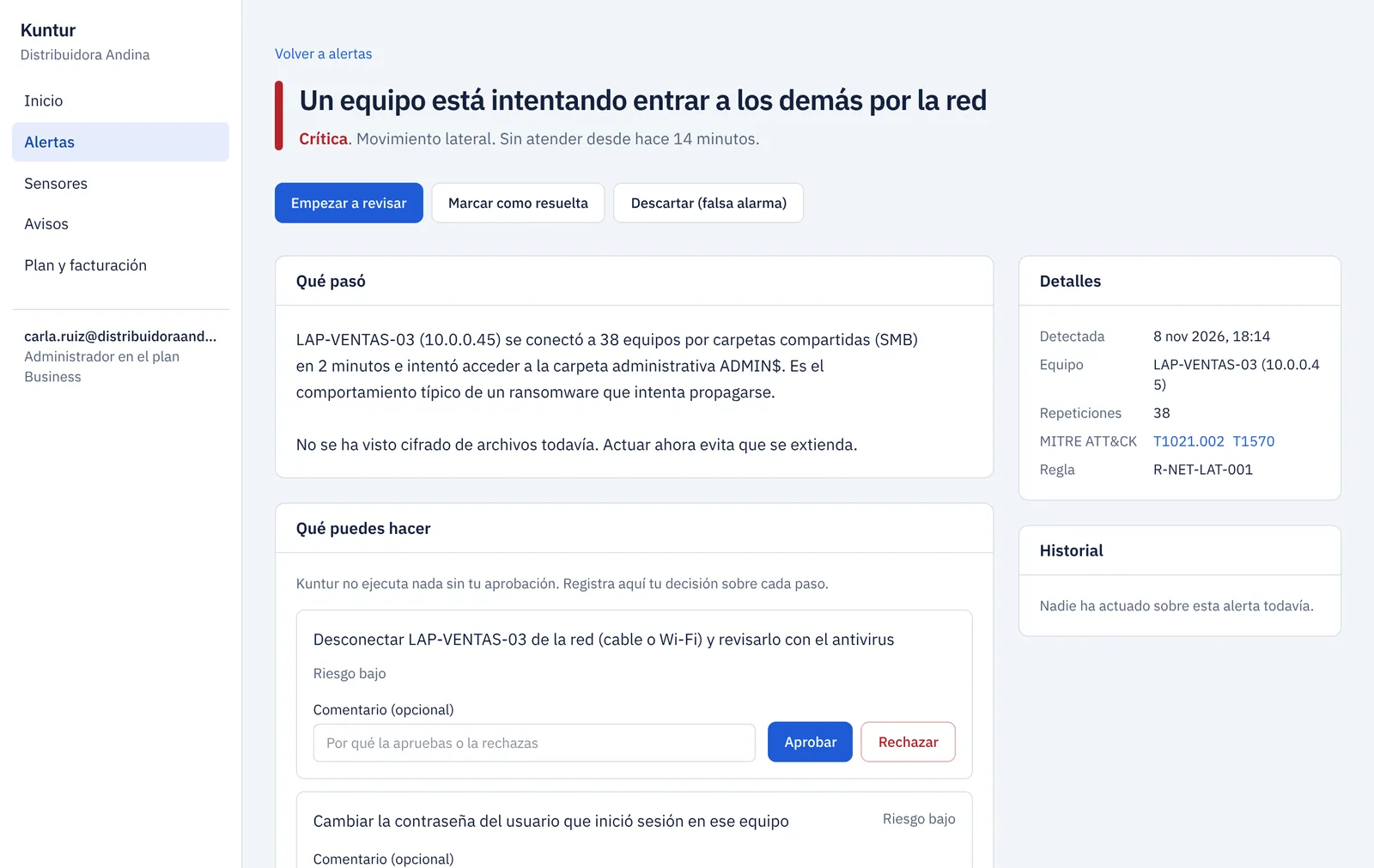
A person at your company decides
The alert reaches Slack, Teams, email or PagerDuty. Your IT lead reviews it on their phone and taps Approve.
Kuntur· 02:41
High · Break-in attempt on the file server. Block 203.0.113.9 for 24 h?
ApproveDismiss
Approved by M. Rivas
02:41:06 · Sensor
The attacker is locked out. Everything is on record.
The sensor applies the rule on your firewall in seconds and keeps the evidence ready for an audit.
Firewall
FortiGate · rule applied
Expires
tomorrow 02:41
Audit trail
who, when and why
4 min 5 s from the first attempt to the block, with nobody staring at a screen.
Pick a plan, pay by card right here and get your access by email, without leaving this page.
Questions before you buy
How do I pay?+
By card, right here on this page, through Stripe. Pay monthly, or annually with two months free, and get your invoice by email. Enterprise is signed as an annual agreement.
How does the 14-day free trial work?+
You create your account with no card, install the sensor following the guide and see your first findings the same day. For 14 days you get every Starter or Business feature with up to 10 sensors. If you don't buy, the account simply deactivates; nothing is charged.
Do I need security staff?+
No. Kuntur is built for companies without a security team. You just need someone to receive the alerts and approve the responses; the AI agents do the investigation.
Can the sensor affect my network?+
No. It receives a copy of the traffic and isn't in the data path. If it goes down or fails, your network keeps working exactly the same.
What if the AI gets it wrong?+
That's why nothing runs without a person's approval. Every alert shows the evidence, blocks are temporary and undo with one click, and your critical devices are never blocked.
Does it work with my firewall?+
Blocking with approval works with pfSense, OPNsense, FortiGate and MikroTik. With other firewalls, Kuntur tells you exactly what to block and you apply it.
What data leaves my network?+
Connection metadata, alerts and the inventory of devices and services. Never the content of emails, documents or web pages.
What do I need to install it?+
A Linux server or virtual machine (4 cores, 8 GB of RAM and two network cards) and a switch with a mirror port, which almost every managed switch has.
Is there a lock-in contract?+
No. Pay monthly, or annually with two months free, and cancel whenever you want from the dashboard.
Free trial
Try it on your network for 14 days, free.
Every Starter or Business feature, no credit card. We'll email you a temporary password and guide you through connecting your first sensor.